Introduction
This documentation is in its early stages. It is not very complete or definitive and can be inexact.

What is NumaHOP ?
NumaHOP is a software solution to manage the digitalization process of documents from the import of meta-datas and condition report to the diffusion of the documents. It serves as an intermediary between the digitalization provider, the establishments and the export targets. This is mostly an automated process with occasional manual operations and verifications.
What NumaHOP can do
NumaHOP is composed of modules that can:
- import and convert bibliographic records into DublinCore.
- inspect and validate images and bibliographic records of digitalized documents.
- make condition reports for bundles sent to the digitalization provider.
- use workflow for managing digitalization projects.
- export documents to archiving services or digital libraries.
- produce derived documents like OCR, METS, scaled down images.
NumaHOP is able to automatically diffuse documents in bulk. The platform supported are:
- An SFTP server.
- OMEKA/OMEKAS.
- the CINES.
- Internet Archive.
NumaHOP is also able to be shared between establishments and allows to make conjoint projects.
Community
The NumaHOP community is principaly active on the github of NumaHop for topics related to the code and the documentation. Otherwise a renater mailing list also exists.
GitHub for the NumaHOP user.
The NumaHOP community principally works on GitHub. An organisation is available for people managing the NumaHOP releases and the documentation. Under the NumaHOP organisation there is 2 active repositories:
- github.com/NumaHOP/NumaHOP contains the source code for NumaHOP
- github.com/NumaHOP/Documentation contains the source of the developper manual and the user manual
How To Report a Bug
If you found a bug inside NumaHop and want to report it you can create an issue on the numahop code repository.
If you don’t have a github account you will need to create one as it is needed to create issues.
Once logged into github navigate to the NumaHOP repository. Then click on the issue tab to access the list of issues.
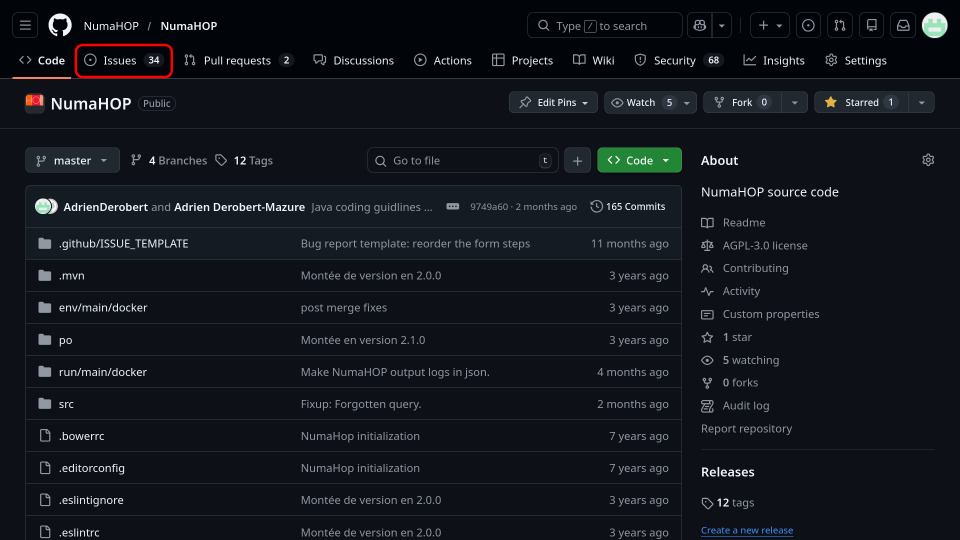
Before creating an issue please spend a bit of time to search existing ones if the bug was already reported.
Then click on the button labeled New issue.
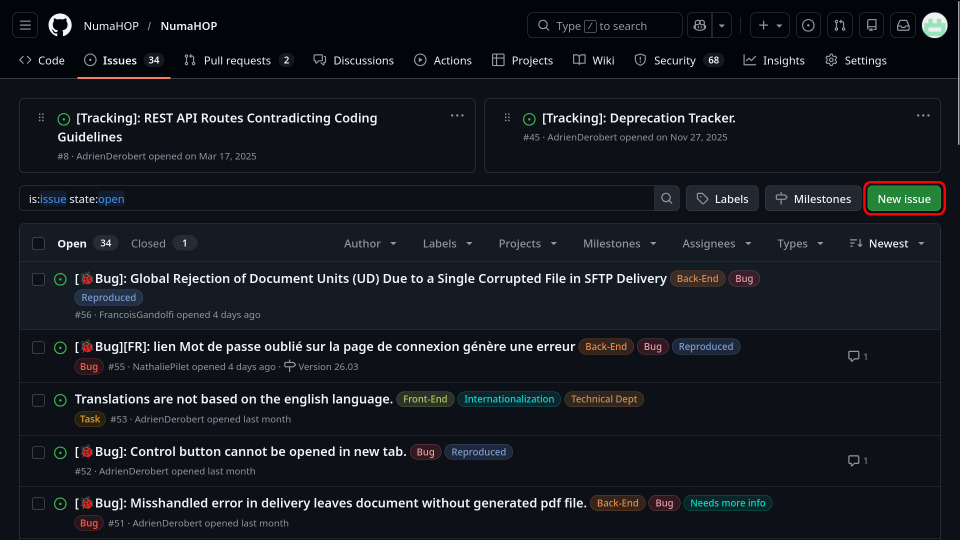
There are 3 options proposed to you:
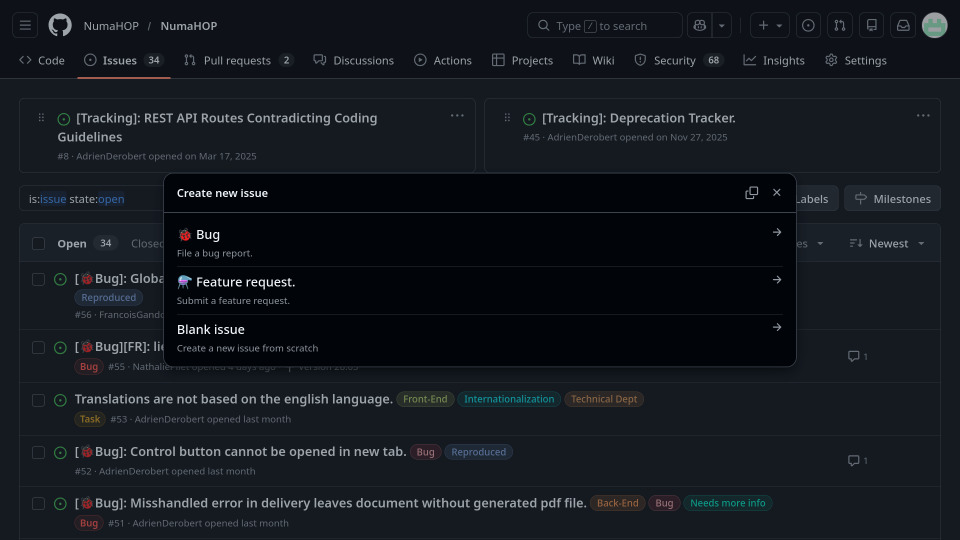
If you are not familiar with the markdown syntax I would advise you to select the Bug option. As it propose you to simply fill a form with several questions asked. Otherwise if you know the markdown syntax and are familiar with the information needed inside a bug report you can use the Blank Issue option.
Then fill out the form sections:
- Steps to reproduce should describe the prerequisites and the steps to perform to reproduce the bug.
- Current Behavior should describe what is currently happening when the bug is triggered.
- Expected Behavior should describe what is you expected should happen instead.
- Browser if the bug is occuring in the interface you must fill out the browser you used when you encountered the bug.
- Anything else ? is a section to link additional informations that should be usefull to help resolve the bug.
Note: you can link files and images (screenshots) by dragging them in any of the textareas.
How To Make A Feature Request
ToDo